
Bru: Send and read SMS from the browser
Short version: Bru is an Android app and web client that lets you read and send SMS messages from your browser, via your phone. It is currently available from the IzzyOnDroid app repository, but hopefully soon on F-Droid, and possibly Google Play.
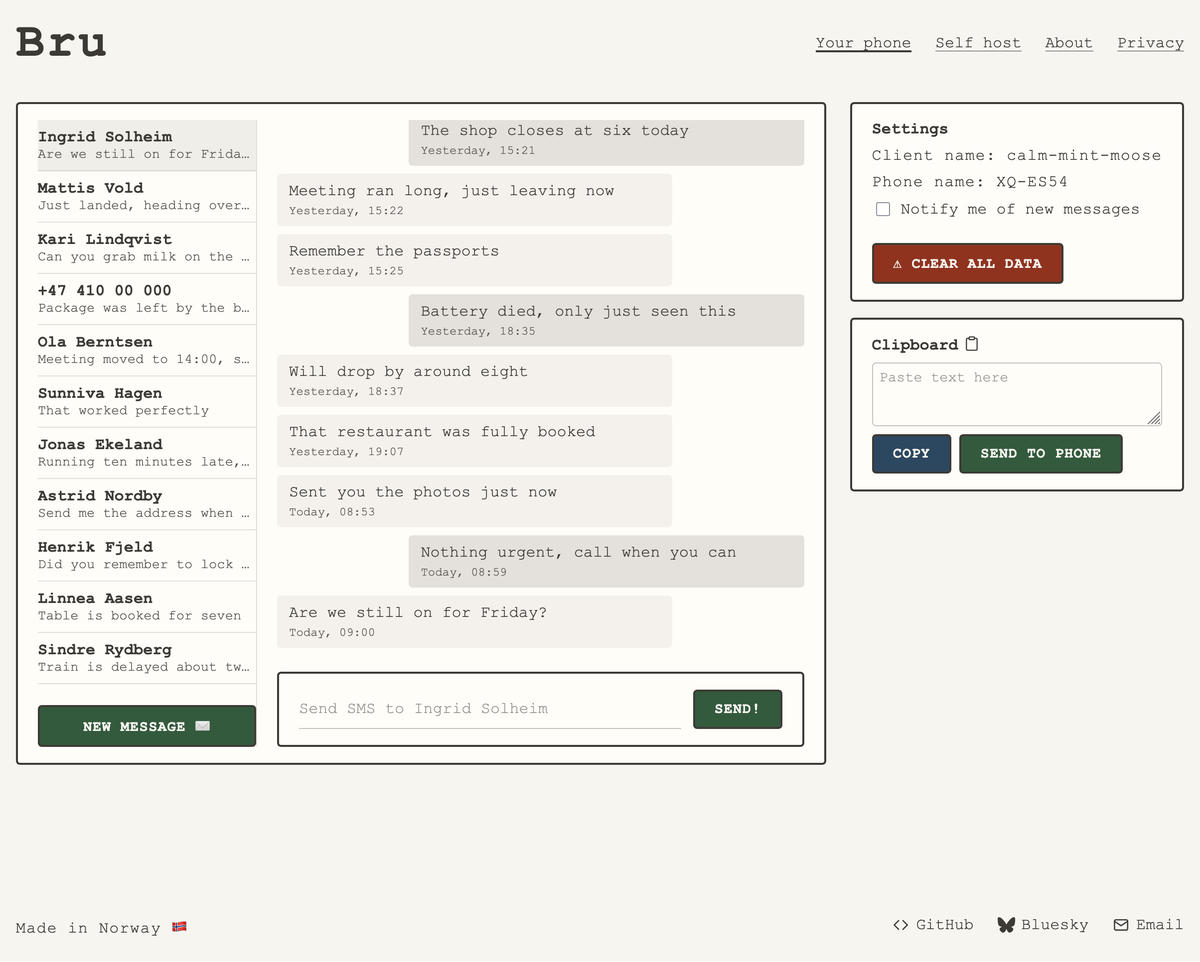
Bru is an Android app and web client that allows users to read and send SMS messages from their browser via their phone. The project is built using a combination of technologies including Rust, WebAssembly, and open-source tools, with a focus on privacy, self-hosting, and end-to-end encryption.
What happened
The article describes the development of Bru, an Android app and web client that allows users to send and read SMS messages from their browser. The developer explored existing alternatives but decided to build a custom solution with a focus on privacy, self-hosting, and end-to-end encryption. The project uses Rust, WebAssembly, and Iroh for peer-to-peer communication, and is designed to be open-source and self-hostable.
Why it matters
Bru is significant for developers and users interested in privacy, self-hosting, and open-source solutions. It demonstrates how to build a secure, decentralized SMS client using modern web technologies and open-source tools, offering an alternative to proprietary messaging services.
- Privacy and self-hosting are key considerations in building secure communication tools.
- Using open-source tools like Iroh can enable peer-to-peer communication in web applications.
- Building a web client without a framework can offer more control over the development process.
- End-to-end encryption is essential for secure messaging applications.
- Exploring existing alternatives before building a new solution can save time and effort.
The bigger picture
Bru provides a privacy-focused, self-hostable alternative to traditional SMS services, offering users greater control over their data and communication. It also serves as a case study in building secure, decentralized applications using modern web technologies and open-source tools.
Bru is an open-source, self-hostable SMS client that demonstrates how to build secure, decentralized communication tools using modern web technologies and open-source tools. It offers an alternative to proprietary messaging services and serves as a valuable example for developers interested in privacy and self-hosting.
Technical details
- Rust is used for the core logic and compiled to WebAssembly (WASM) for browser compatibility.
- Iroh is used as a peer-to-peer communication layer, enabling direct connections between devices.
- The web client is built using plain HTML, JavaScript, and CSS, with no web framework.
- End-to-end encryption is implemented for messages.
- The app uses relays for peer-to-peer communication in environments where direct connections are not possible.
- The project is self-hostable, with no backend services required.
FAQ
What is Bru?
Bru is an Android app and web client that allows users to read and send SMS messages from their browser via their phone.
What technologies does Bru use?
Bru uses Rust, WebAssembly (WASM), and open-source tools like Iroh for peer-to-peer communication.
Is Bru open-source?
Yes, Bru is open-source and can be self-hosted.
How does Bru handle peer-to-peer communication?
Bru uses Iroh to establish direct peer-to-peer connections between devices, with relays used as fallbacks in environments where direct connections are not possible.
Why was Bru developed?
Bru was developed to provide a privacy-focused, self-hostable alternative to traditional SMS services, with a focus on end-to-end encryption and open-source tools.
This summary and analysis were generated with AI from the original article and may contain errors. Read the original for the full story.
Read the full story
Originally published by Lobsters on Oct 14, 2026.
Comments
Sign in to join the discussion.