
How to Delete AI Chats and Generated Images From Your Phone in Off Grid AI in 2026
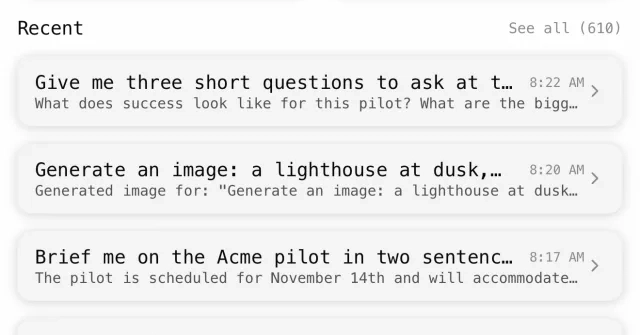
An image experiment can leave several drafts in your phone's chat history and Gallery. OGAM (Off Grid AI Mobile) lets you delete an unwanted image, remove selected images, or delete a conversation and clean up its associated generated images. Use the control for the material you want to remove.
This article provides a detailed guide on how to delete AI-generated images and chats from your phone using Off Grid AI (OGAM) in 2026, focusing on managing and cleaning up digital content effectively.
What happened
The article explains how to delete AI-generated images and chats using the Off Grid AI Mobile (OGAM) app. It outlines steps for removing individual images, multiple drafts, and entire conversations, while addressing issues like missing files, sync problems, and the distinction between deleting a Gallery entry and removing the actual file.
Why it matters
This guide is crucial for users who want to manage their AI-generated content effectively, ensuring privacy, reducing clutter, and maintaining data integrity. It helps users understand the nuances of deletion in an AI-driven environment, especially when dealing with sync and storage.
- Deleting an image from the Gallery does not always remove the actual file.
- Use the selection feature to delete multiple drafts at once.
- Check for existing backups or copies before deleting a Gallery entry.
- Deleting a conversation removes its associated images, but some files may remain.
- Sync and storage management are critical when cleaning up AI-generated content.
The bigger picture
The practical impact of this guide is that users can maintain a clean and organized digital space, ensuring that unwanted AI-generated content is removed without affecting necessary files or backups. It also helps users understand the limitations of deletion in sync environments.
This article provides a comprehensive guide for managing and deleting AI-generated content using OGAM, emphasizing the importance of understanding the differences between deleting a Gallery entry and removing the actual file, as well as the implications of sync and storage in the process.
Technical details
- OGAM (Off Grid AI Mobile) is used for managing AI-generated content.
- Gallery records can exist without the actual image file, leading to 'Image is not on this device' messages.
- Synced image files are stored at specific paths, and deletion affects both the Gallery and the file system.
- Deleting a conversation removes its associated generated images but may leave some files in the Gallery.
FAQ
What is OGAM?
OGAM stands for Off Grid AI Mobile, an app that allows users to manage and delete AI-generated content such as images and chats on their phone.
How do I delete an image from the Gallery?
Open the image, use the save or share control before deletion, and confirm the delete action. The app attempts to remove the saved image file and its Gallery record.
What happens if an image is not deleted?
The app reports 'Image was not deleted,' and the record remains visible. You should inspect the error and retained record before trying again.
Can I delete a conversation and its associated images?
Yes, you can delete a conversation from the Home screen, which removes its associated generated images. However, some image files may remain in the Gallery.
What should I do if an image is not on this device?
If the app shows 'Image is not on this device,' it means the file is unavailable. You should locate a retained copy or remove the stale record before proceeding.
This summary and analysis were generated with AI from the original article and may contain errors. Read the original for the full story.
Read the full story
Originally published by Dev.to AI on Oct 13, 2026.
Comments
Sign in to join the discussion.