

Cursor
AI coding agent that turns ideas into code for developers
What is Cursor?
Cursor is an AI Coding Assistant tool. AI coding agent that turns ideas into code for developers. Cursor is freemium: it has a free plan plus paid upgrades. It is available on macOS. It is aimed at developers, teams building software and software developers.
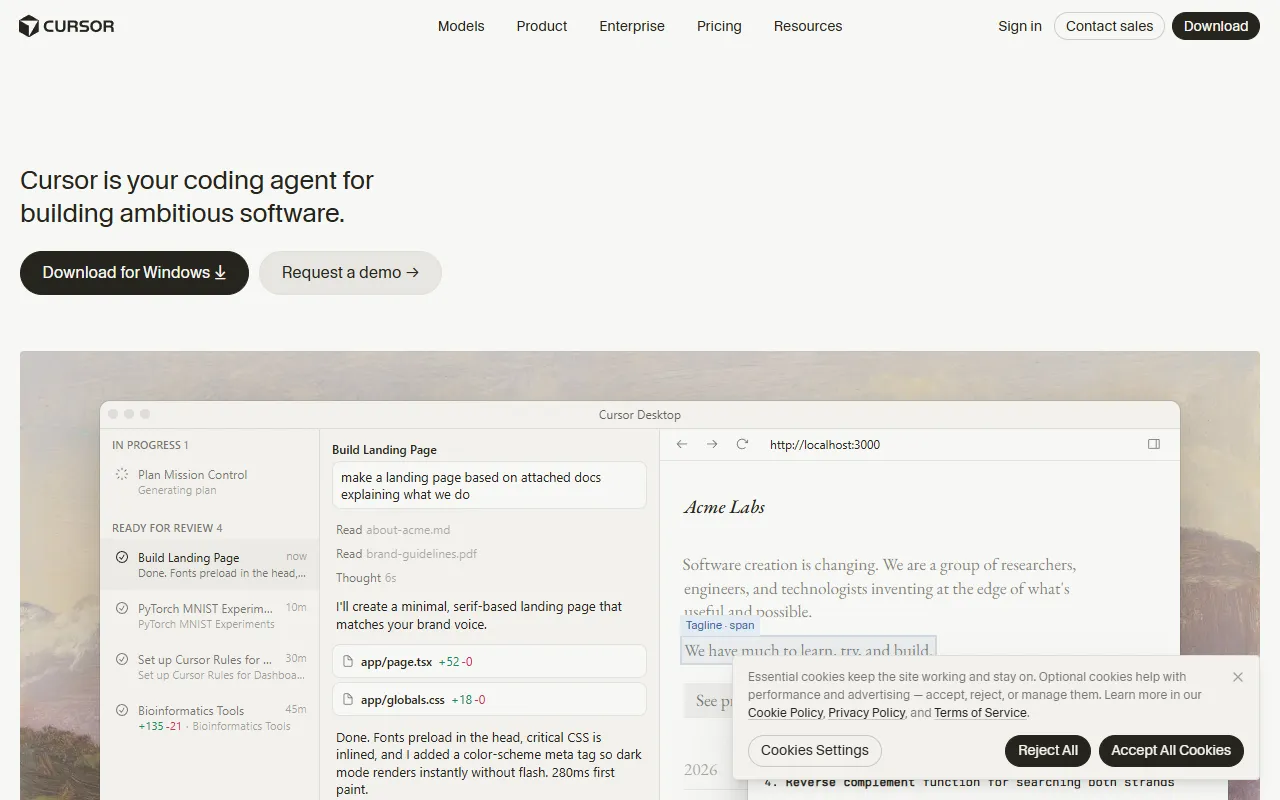
AI-first code editor built on VS Code with agents that turn ideas into code. Accelerates development by handing off tasks to Cursor's autonomous agents, which work in parallel and run at every step of the development process.
Built for developers, teams building software, software developers and ai developers.
Key capabilities
Features
Agents
Turn ideas into code
Autonomous Agent Mode
Runs in parallel and works at every step
Code Generation
Generates code based on ideas
Full Codebase Understanding
Understands the entire codebase for developers
Tab Completion
Provides tab completion for faster coding
AI Teammates
Hands work to AI teammates for development
Best Model for Every Task
Codebase Understanding
Understands the codebase for developers
AI Integration
Integrates AI into the development workflow
Parallel Processing
Runs tasks in parallel
Task Automation
Automates tasks in development
AI Coding Agent
Turns ideas into code
Use cases
- Translate product videos into other languages
- Generate code based on ideas
- Automate development tasks
- Integrate AI into development workflow
- Use best model for each task
- Hand work to AI teammates
Popular use cases
Who it's for
- Developers
- Teams Building Software
- Software Developers
- AI Developers
- Productivity Enthusiasts
Pros & cons
Pros
- Free plan available
- Integrates with Zapier
- Uses best model for every task
- Runs in parallel
- Public API available
Cons
No documented limitations yet.
Pricing
Freemium.
| Plan | Price |
|---|---|
| Hobby | Free |
| Pro | $20 |
| Pro+ | $60 |
| Ultra | $200 |
| Teams | $40 |
Integrations
- Slack
- Microsoft Teams
- Discord
- Zapier
- Notion
- Google Drive
- Google Docs
- Google Sheets
- Gmail
- Google Calendar
- Google Search Console
- Zoom
- Outlook
- OneDrive
- SharePoint
- Dropbox
- GitHub
- GitLab
- Bitbucket
- Jira
- Confluence
- Linear
- Asana
- Trello
- monday.com
- ClickUp
- Airtable
- HubSpot
- Salesforce
- Intercom
- Zendesk
- Shopify
- WordPress
- Webflow
- Wix
- Figma
- Canva
- YouTube
- TikTok
AI models
- GPT 5
- Claude Opus 5.5
- Gemini 3.1 Pro
- Grok 4
Security & compliance
- SOC 2
- ISO 27001
- GDPR
- SSO
- SAML
- Data deletion
As stated on Cursor's website — not independently verified by AiByts.
FAQ
What is Cursor?
Cursor is an AI Coding Assistant tool. AI coding agent that turns ideas into code for developers. AI-first code editor built on VS Code with agents that turn ideas into code. Accelerates development by handing off tasks to Cursor's autonomous agents, which work in parallel and run at every step of the development process.
Is Cursor free?
Cursor has a free plan; advanced features require a paid plan.
How much does Cursor cost?
Cursor offers 5 plans: Hobby (Free), Pro ($20), Pro+ ($60), Ultra ($200) and Teams ($40).
What platforms does Cursor support?
Cursor is available on macOS.
Who should use Cursor?
Cursor is built for developers, teams building software, software developers, ai developers and productivity enthusiasts. Common uses: translate product videos into other languages, generate code based on ideas, automate development tasks and integrate AI into development workflow.
What does Cursor integrate with?
Cursor integrates with Slack, Microsoft Teams, Discord, Zapier, Notion, Google Drive, Google Docs and Google Sheets, among 40 integrations.
What are the best alternatives to Cursor?
Similar tools on AiByts include GitHub Copilot, Intellicode, Codeium, Relay and Bullet.
Details are compiled from Cursor's website and public sources, last verified Oct 3, 2026. Features and pricing change — confirm on the official site before you buy.
Try Cursor
Freemium
Tags
- AI Coding Agent
- Code Generation
- Autonomous Agents
- AI Integration
- Codebase Understanding
- Tab Completion
- AI Teammates
Comments
Sign in to join the discussion.