
Flyout
A Mac notes app with instant access from screen edges.
- Web
- Open Source
What is Flyout?
Flyout is an AI Writing tool. A Mac notes app with instant access from screen edges. It is available on Web App, macOS, iOS and App Store (iOS). It is aimed at productivity enthusiasts, developers and students.
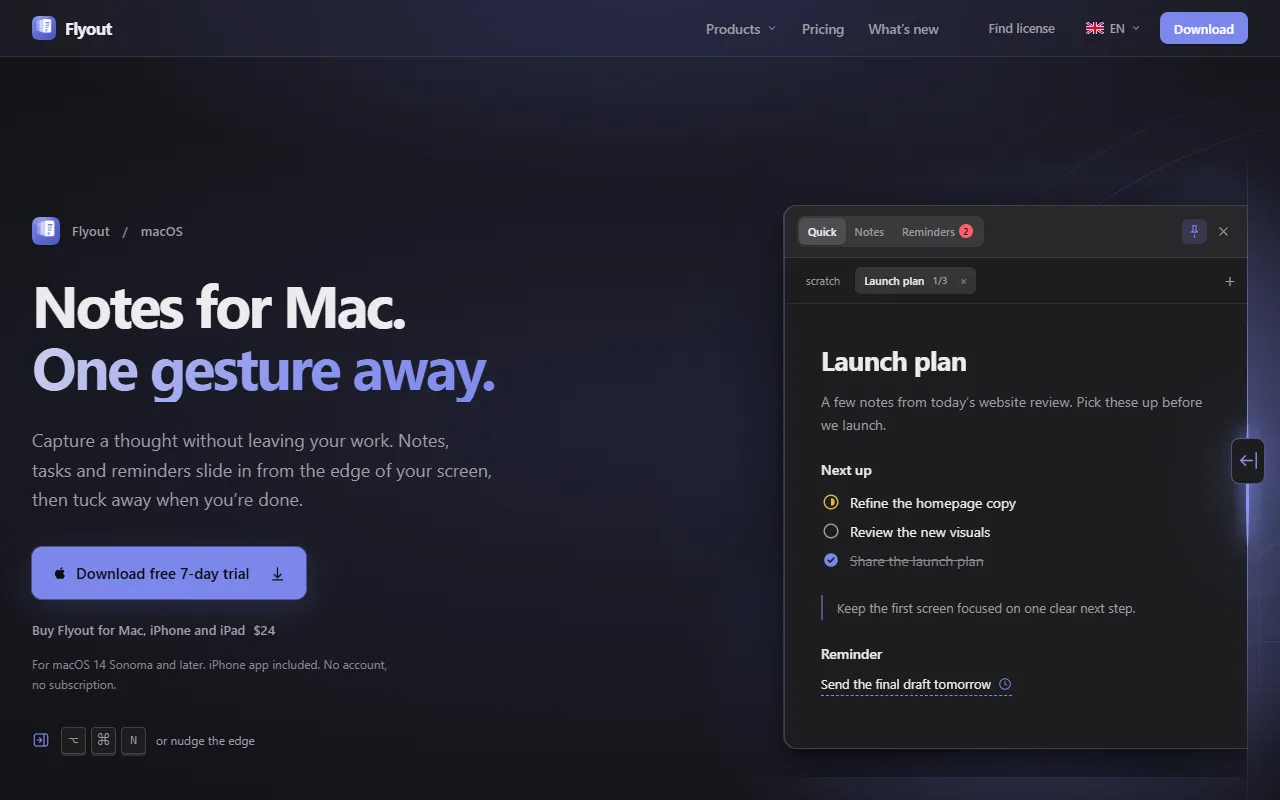
Flyout is a notes app for Mac that provides instant access to a rich-text editor by flying out from the screen edge. It supports code blocks, task lists, images, and reminders, with features like password protection and cross-device sync. Designed for productivity, it works on macOS 14 or later.
Built for productivity enthusiasts, developers and students.
Features
Instant Access
Access notes from screen edges or keyboard shortcut.
Real Editor
Full rich-text editor instead of a scratchpad.
Reminders
Notes include live reminders.
To-Dos
Task lists with status tracking.
Tags
Cross-folder tags for organization.
Anywhere Notes
Tables
Pasted tables retain formatting.
Emoji Access
Insert emojis without leaving the keyboard.
Drag Folders
Folders can be dragged into place.
Cross-Device Sync
Notes available on Mac and iPhone.
Password Lock
Notes can be locked with a password.
Native App
Use cases
- Take notes anywhere on the screen
- Create task lists with status tracking
- Insert emojis without leaving the keyboard
- Lock notes behind a password for security
- Sync notes across Mac and iPhone
- Paste tables while retaining formatting
Who it's for
Pros & cons
Pros
- Cross-device sync between Mac and iPhone
- Password-protected notes for security
- Native macOS application
Cons
No documented limitations yet.
Developer & API
Open source· 0 stars· 0 forks
FAQ
What is Flyout?
Flyout is an AI Writing tool. A Mac notes app with instant access from screen edges. Flyout is a notes app for Mac that provides instant access to a rich-text editor by flying out from the screen edge. It supports code blocks, task lists, images, and reminders, with features like password protection and cross-device sync. Designed for productivity, it works on macOS 14 or later.
What platforms does Flyout support?
Flyout is available on Web App, macOS, iOS and App Store (iOS).
Who should use Flyout?
Flyout is built for productivity enthusiasts, developers and students. Common uses: take notes anywhere on the screen, create task lists with status tracking, insert emojis without leaving the keyboard and lock notes behind a password for security.
What does Flyout integrate with?
Flyout integrates with GitHub and Anthropic.
Is Flyout open source?
Yes, Flyout is open source.
What are the best alternatives to Flyout?
Similar tools on AiByts include Notchkin, HIX AI, Megaphone, Wave and APEUni.
Flyout news & updates
Details are compiled from Flyout's website and public sources, last verified Oct 6, 2026. Features and pricing change — confirm on the official site before you buy.
Try Flyout
Visit the official website
Comments
Sign in to join the discussion.