

kuku
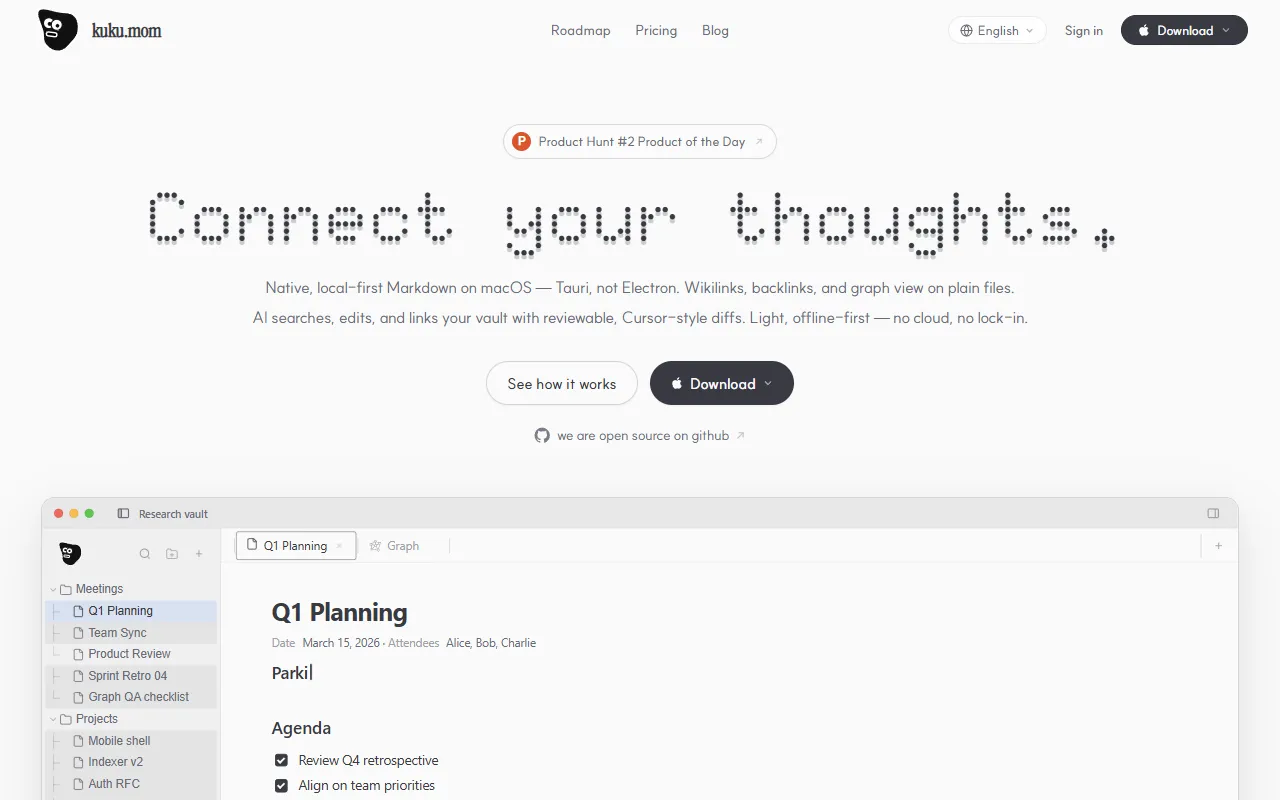
A local-first Markdown knowledge base for macOS with AI editing and offline access.
- Freemium· from $10/month
- API Available
- Open Source
What is kuku?
kuku is an AI Writing tool. A local-first Markdown knowledge base for macOS with AI editing and offline access. kuku is freemium: it has a free plan, and paid plans start at $10/month. A free trial is available. It is available on macOS. It is aimed at knowledge workers, researchers and writers.
Kuku is a local-first Markdown knowledge base for macOS, offering AI editing with reviewable diffs. It supports offline use and provides a workspace for managing notes and documents. The tool emphasizes a second brain approach through syncing and AI-driven insights.
Built for knowledge workers, researchers and writers.
Features
AI Editing
Offline Access
Sync Across Devices
Synchronizes notes across all devices.
Markdown-First Editing
Second Brain
Builds a compounding knowledge base through AI insights.
Backlinks
Creates connections between notes for better organization.
Wikilinks
Allows linking between notes for a connected knowledge base.
Graph View
Displays notes in a visual graph for better understanding.
Agenda
Decisions
Backlog
Use cases
- Organize notes with wikilinks and backlinks for better structure
- Maintain a second brain by syncing notes across devices
- Edit notes using AI with reviewable diffs for accuracy
- Access notes offline without an internet connection
Who it's for
Pros & cons
Pros
- Public API available
- Free plan available
- Integrates with GitHub
Cons
No documented limitations yet.
Pricing
Freemium — paid plans start at $10/month. Free trial available.
| Plan | Price |
|---|---|
| Pro | $10 / month |
| Team | $15 / month |
| Free | Free |
Integrations
AI models
- Claude Opus
Developer & API
FAQ
What is kuku?
kuku is an AI Writing tool. A local-first Markdown knowledge base for macOS with AI editing and offline access. Kuku is a local-first Markdown knowledge base for macOS, offering AI editing with reviewable diffs. It supports offline use and provides a workspace for managing notes and documents. The tool emphasizes a second brain approach through syncing and AI-driven insights.
Is kuku free?
kuku has a free plan; advanced features require a paid plan.
How much does kuku cost?
kuku offers 3 plans: Pro ($10 / month), Team ($15 / month) and Free (Free).
Does kuku have an API?
Yes, kuku offers a public API for building custom integrations.
What platforms does kuku support?
kuku is available on macOS.
Who should use kuku?
kuku is built for knowledge workers, researchers and writers. Common uses: organize notes with wikilinks and backlinks for better structure, maintain a second brain by syncing notes across devices, edit notes using AI with reviewable diffs for accuracy and access notes offline without an internet connection.
What does kuku integrate with?
kuku integrates with GitHub.
Is kuku open source?
Yes, kuku is open source under the MIT license.
What are the best alternatives to kuku?
Similar tools on AiByts include AI Aware, Bibby AI, Epilude, Ghost Writer and Netus AI.
Details are compiled from kuku's website and public sources, last verified Oct 5, 2026. Features and pricing change — confirm on the official site before you buy.
Try kuku
Freemium · from $10/month
Tags
- Second Brain
- Markdown
- AI Editing
Comments
Sign in to join the discussion.