

LUCI Desktop
Tracks computer activity and provides memory to AI agents
What is LUCI Desktop?
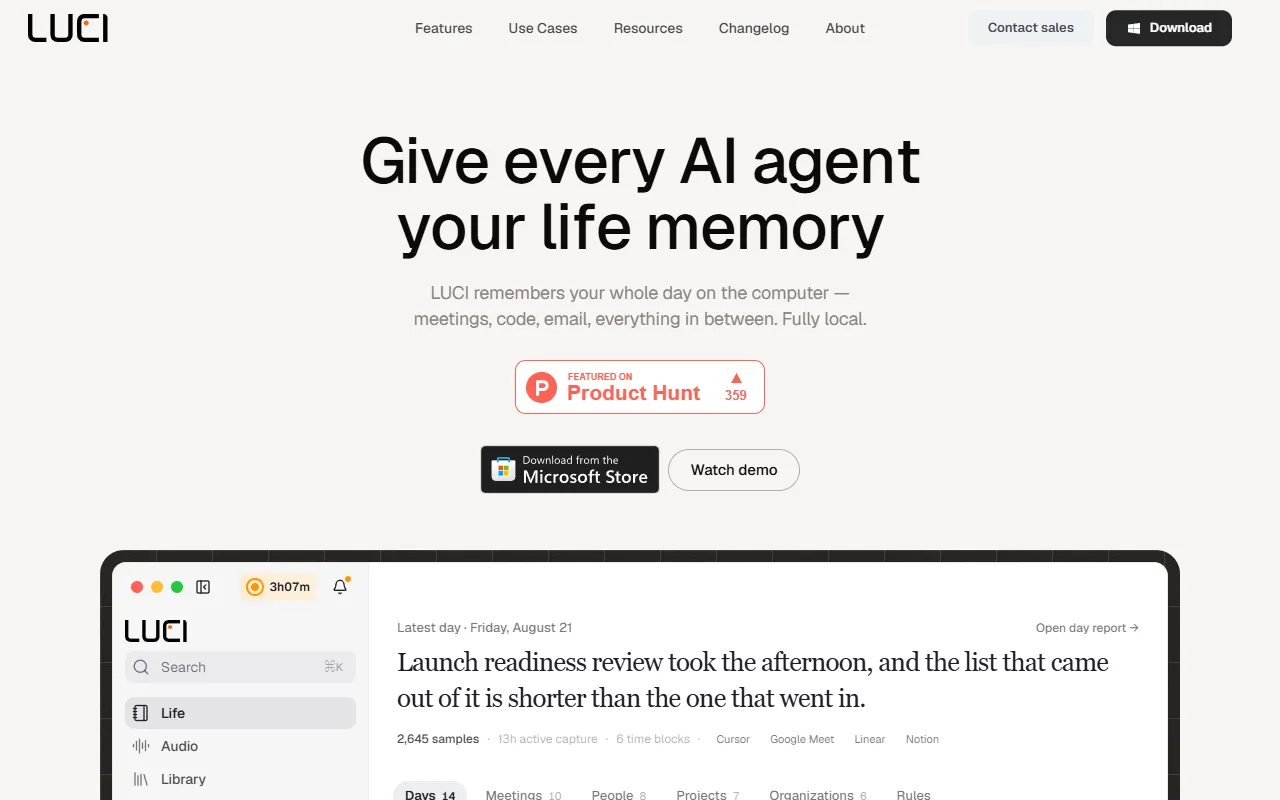
LUCI Desktop is an AI Notes tool that tracks computer activity and provides memory to AI agents. LUCI Desktop is free to use. It is available on macOS and Windows. It is aimed at developers, productivity enthusiasts and ai agent users.
LUCI tracks your computer activity, including meetings, code, and emails, and provides this memory to AI agents like Claude Code, Cursor, and Codex. It operates locally and is free to use.
Built for developers, productivity enthusiasts, ai agent users and data analysts.
Features
Meeting and call notes
Creates notes without a bot joining the call
On-device understanding
Agent Bridge
Connects with Claude, Cursor, and Codex
Cards, keys, and passwords blacked out
Safeguards sensitive information before saving
Hours with a capture block
Works with agents
Integrates with existing AI agents
Chronology
Visual memory
Voice & transcripts
Use cases
- Access AI agents with your personal computer memory
- Retrieve unbookmarked pages using AI agents
- Recall decisions from past calls with AI agents
- Secure sensitive information during data storage
- Organize daily activity chronologically
- Display events in chronological order
Popular use cases
Who it's for
Pros & cons
Pros
- Public API available
- Free plan available
- Unlimited agent runs across all skills
- Unlimited meeting transcriptions
- Unlimited voice-triggered tasks
Cons
No documented limitations yet.
Pricing
Free.
| Plan | Price |
|---|---|
| Free | Free |
| Free — forever | Free |
Developer & API
Public API available
Open source· MIT· 6 stars· 0 forks
Security & compliance
- Encryption
- Data deletion
As stated on LUCI Desktop's website — not independently verified by AiByts.
FAQ
What is LUCI Desktop?
LUCI Desktop is an AI Notes tool that tracks computer activity and provides memory to AI agents. LUCI tracks your computer activity, including meetings, code, and emails, and provides this memory to AI agents like Claude Code, Cursor, and Codex. It operates locally and is free to use.
Is LUCI Desktop free?
Yes, LUCI Desktop is free to use.
How much does LUCI Desktop cost?
LUCI Desktop offers 2 plans: Free (Free) and Free — forever (Free).
Does LUCI Desktop have an API?
Yes, LUCI Desktop offers a public API for building custom integrations.
What platforms does LUCI Desktop support?
LUCI Desktop is available on macOS and Windows.
Who should use LUCI Desktop?
LUCI Desktop is built for developers, productivity enthusiasts, ai agent users, data analysts and software engineers. Common uses: access AI agents with your personal computer memory, retrieve unbookmarked pages using AI agents, recall decisions from past calls with AI agents and secure sensitive information during data storage.
What does LUCI Desktop integrate with?
LUCI Desktop integrates with Slack, Microsoft Teams, Discord, Notion, Gmail, Google Meet, Zoom and GitHub, among 11 integrations.
Is LUCI Desktop open source?
Yes, LUCI Desktop is open source under the MIT license.
What are the best alternatives to LUCI Desktop?
Similar tools on AiByts include RecordMeeting, Causal, Wispr Flow, Krisp and Omi.
LUCI Desktop news & updates
Details are compiled from LUCI Desktop's website and public sources, last verified Oct 6, 2026. Features and pricing change — confirm on the official site before you buy.
Try LUCI Desktop
Free
Tags
- Agent Memory
- Screen History
- Meeting Transcripts
- Visual Memory
- Voice Transcription
Comments
Sign in to join the discussion.