
PawseKeys
Locks Mac keyboard with one click, shortcut, or iPhone/Apple Watch
What is PawseKeys?
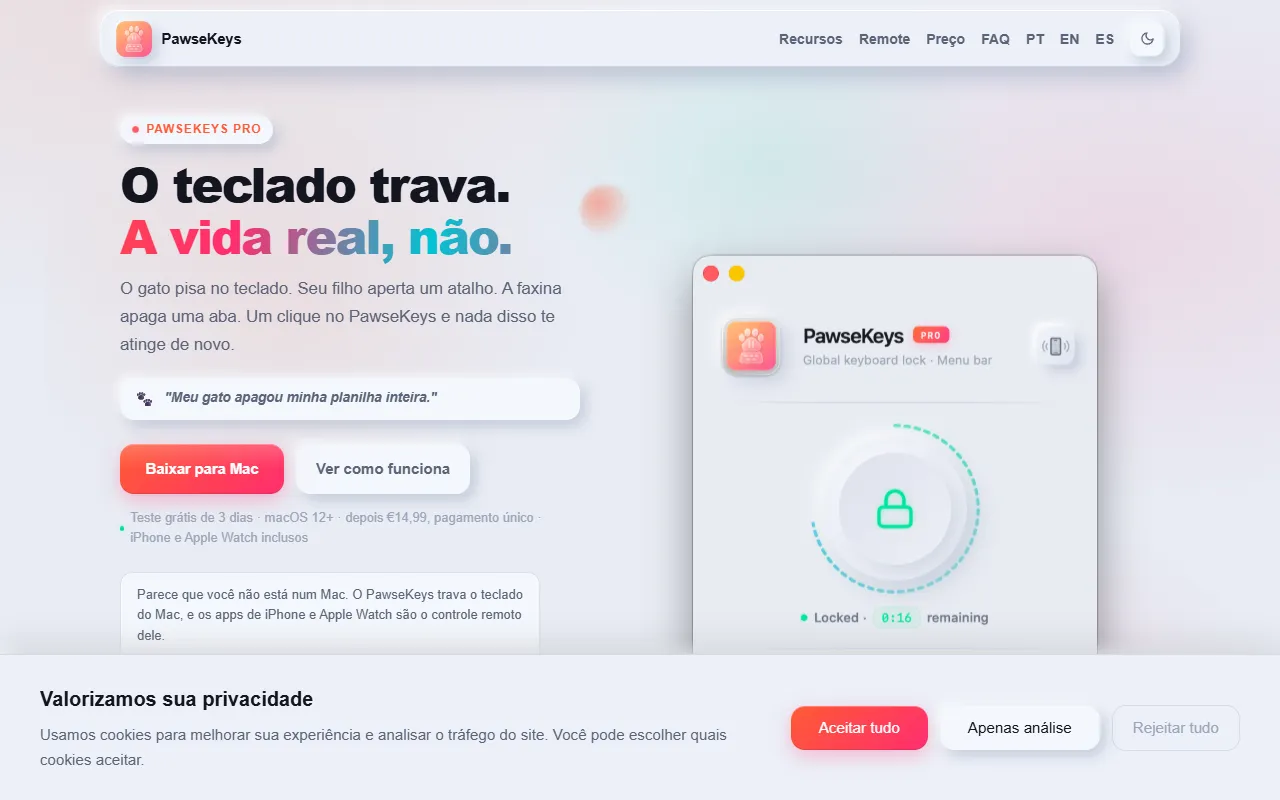
PawseKeys is a Focus & Productivity tool that locks Mac keyboard with one click, shortcut, or iPhone/Apple Watch. It is available on macOS and iOS. It is aimed at home office workers, parents and tech enthusiasts.
PawseKeys locks your Mac keyboard with one click, a shortcut, or directly from your iPhone and Apple Watch. It prevents unwanted typing from kids, pets, or distractions, and includes a timer for automatic unlock. The tool is designed for everyday use and offers a lightweight, elegant solution.
Built for home office workers, parents and tech enthusiasts.
Features
Keyboard Lock
Prevents unwanted typing from kids, pets, or distractions
Timer
Automatically unlocks after 1-30 minutes
Remote Control
Locks from iPhone or Apple Watch
Cleaning Mode
Kid & Pet Proof
Focus Mode
Lightweight Design
Keyboard Shortcut
Cross-Device Compatibility
Panic Button
Quick Setup
One-Time Payment
Use cases
- Lock Mac keyboard to prevent distractions
- Prevent kids and pets from typing on Mac
- Use timer to automatically unlock keyboard
- Lock keyboard remotely via iPhone or Apple Watch
- Enable cleaning mode to secure Mac
- Maintain focus during work sessions
Who it's for
- Home Office Workers
- Parents
- Tech Enthusiasts
Pros & cons
Pros
- One-time payment for lifetime access
- Locks every key including volume and brightness
- Connects with a 4-digit code, nothing to set up
- Built for everyday use
- Lightweight and elegant design
Cons
No documented limitations yet.
FAQ
What is PawseKeys?
PawseKeys is a Focus & Productivity tool that locks Mac keyboard with one click, shortcut, or iPhone/Apple Watch. PawseKeys locks your Mac keyboard with one click, a shortcut, or directly from your iPhone and Apple Watch. It prevents unwanted typing from kids, pets, or distractions, and includes a timer for automatic unlock. The tool is designed for everyday use and offers a lightweight, elegant solution.
What platforms does PawseKeys support?
PawseKeys is available on macOS and iOS.
Who should use PawseKeys?
PawseKeys is built for home office workers, parents and tech enthusiasts. Common uses: lock Mac keyboard to prevent distractions, prevent kids and pets from typing on Mac, use timer to automatically unlock keyboard and lock keyboard remotely via iPhone or Apple Watch.
What are the best alternatives to PawseKeys?
Similar tools on AiByts include PeekFocus, AI for Productivity, Clockk, Faahh and Mac Pet.
Details are compiled from PawseKeys's website and public sources, last verified Oct 5, 2026. Features and pricing change — confirm on the official site before you buy.
Try PawseKeys
Visit the official website
Tags
- Keyboard Lock
- Focus Mode
- Kid Proof
- Pet Proof
- Productivity Tool
- Remote Control
- Cleaning Mode
- One-Time Payment
Comments
Sign in to join the discussion.