

How to Get AI to Write Emails in Your Own Tone
Connect Gmail, and Jetwriter AI learns your tone from emails you've sent. Personalize AI and writing styles tell it how you write on every site.
ChatGPT Writer Blog7 min read
45 stories
Connect Gmail, and Jetwriter AI learns your tone from emails you've sent. Personalize AI and writing styles tell it how you write on every site.

Use AI in Outlook on the web with Jetwriter AI: reply from a few words, write new emails, fix grammar and answer in any language. Free plan included.
Say sorry and name the problem, give the fix with a date, and make the rest easy. In Gmail, Jetwriter AI writes the reply from the customer's email.
Reply in the same thread after 2–3 business days, then a week apart. In Gmail, Jetwriter AI writes each follow-up from the email you sent.

Use AI in Gmail with Jetwriter AI: reply from a few words, write new emails, fix grammar, sound like you, and get replies drafted before you open them.

Select your draft in Gmail and run three one-click checks: typos, clarity and tone. Jetwriter AI keeps every fact, and Personalize AI keeps your voice.

Use AI in WhatsApp Web with the free Jetwriter AI extension: write replies and new messages, fix spelling and grammar, improve writing and summarize messages.
Files and links is new in Jetwriter AI. Add your price list, FAQ or policy pages once, and replies take the facts from them instead of guessing.

Got an email in German, Spanish or Japanese? Type your reply in English and Jetwriter AI writes it in the sender's language, right in Gmail.
In Gmail, click AI Compose next to Send and say what the email is for. Jetwriter AI writes it. 5 examples, from follow-ups to price increases.

Click AI Reply in WhatsApp Web and type the facts in a few words: Jetwriter AI writes the reply. 5 examples, from price questions to angry customers.
Connect Google Calendar to Jetwriter AI. It checks your real calendar before it suggests a meeting time or says when you are free.
Learn how to use Prompt Templates in Jetwriter AI. Save your favorite prompts so you do not type the same instructions. Make your daily writing much faster.
Claude Opus 5.5 and OpenAI GPT-6 Sol are now in Jetwriter AI. Write clear emails, read big files, and get accurate answers right where you work. Try today!

Learn how the new “Ask” feature in Jetwriter AI helps you do research fast. Just highlight text to ask quick questions without starting over.
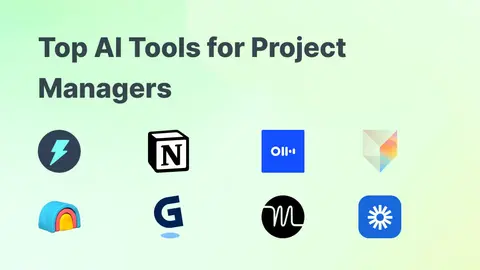
Save time and beat your deadlines. Discover the top 8 AI tools for project managers. Automate scheduling, write faster, and manage your team with ease today.
Gemini AI vs. Jetwriter AI: Which one writes better emails? Discover which tool helps you draft faster, more authentic emails in our simple guide.

Explore the 8 best AI tools for teachers to plan lessons fast, write quick emails, and make your day much easier.
Showing 18 of 45 stories
Load more storiesGet the top AI news and tools straight to your inbox every week.
Weekly · AI news
Join 15,000+ AI enthusiasts