

Jet Admin
Builds secure business apps using existing databases and integrations
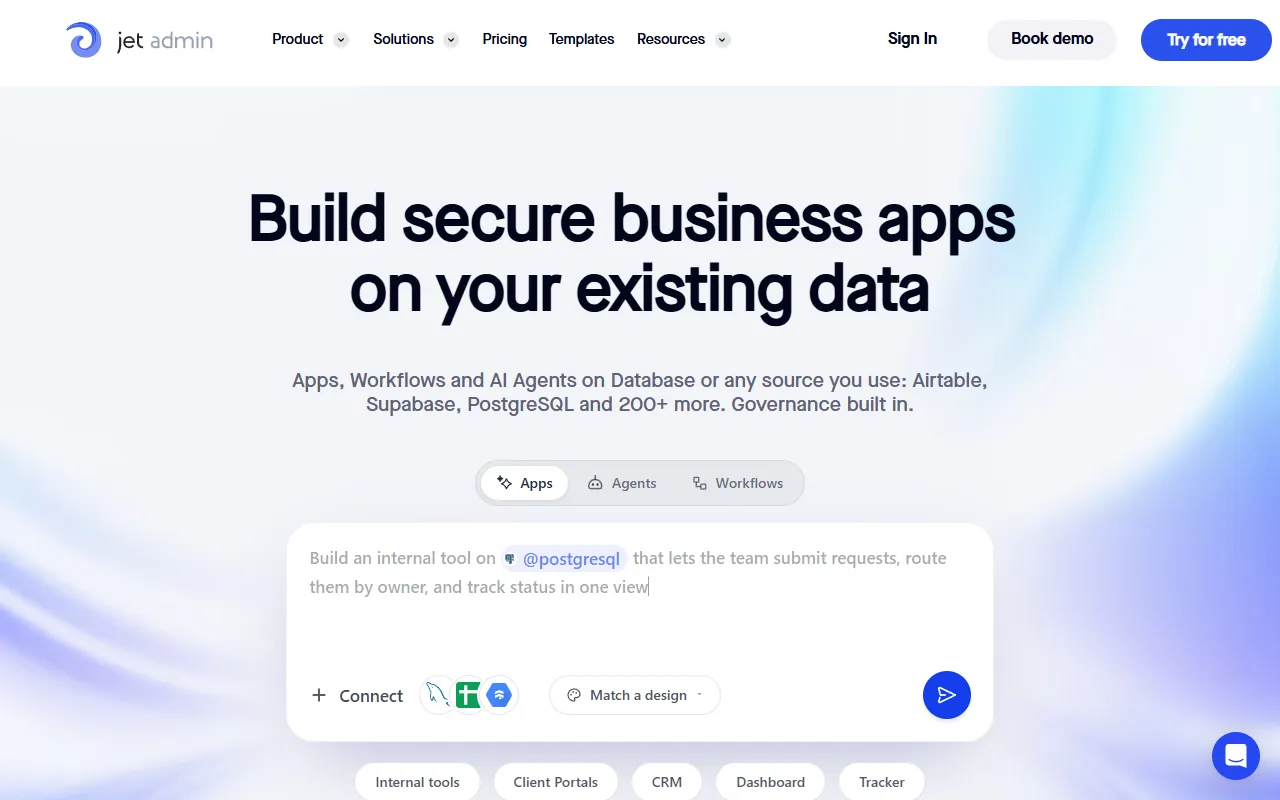
What is Jet Admin?
Jet Admin is an AI App Builder tool that builds secure business apps using existing databases and integrations. Jet Admin is freemium: it has a free plan plus paid upgrades. A free trial of 14 days is available. It is aimed at developers, enterprise users and business analysts.
Builds secure business apps using existing databases and integrations. Offers 200+ integrations with tools like Slack, Zapier, and Google Workspace. Enterprise governance features are included by default.
Built for developers, enterprise users and business analysts.
Features
AI Agents
Builds apps, agents, and workflows with AI
Cloud, Self-Hosted, or On-Premise
Enterprise Control
Provides enterprise-level control features
Jet Database
Public API
Use cases
- Build internal tools and client portals using existing databases
- Create business apps with AI agents and workflows
- Integrate with 200+ tools like Slack, Google Workspace, and Zapier
- Develop secure business applications with enterprise governance
- Deploy apps in cloud, self-hosted, or on-premise environments
Popular use cases
Who it's for
Pros & cons
Pros
- Public API available
- Free plan available
- Enterprise governance built in from day one
Cons
No documented limitations yet.
Pricing
Freemium. Free trial of 14 days available.
| Plan | Price |
|---|---|
| Free | Free |
| Pro | $20 |
| Business | $100 |
Integrations
- Slack
- Zapier
- Make
- n8n
- Google Docs
- Google Sheets
- Gmail
- Google Calendar
- Google Analytics
- Google Meet
- Zoom
- Outlook
- GitHub
- GitLab
- Jira
- Asana
- ClickUp
- Airtable
- HubSpot
- Salesforce
- Pipedrive
- Intercom
- Zendesk
- Freshdesk
- Shopify
- YouTube
- Mailchimp
- Stripe
- QuickBooks
- Xero
- Snowflake
- BigQuery
- PostgreSQL
- MySQL
- MongoDB
- Supabase
- AWS
- Google Cloud
- Azure
- OpenAI
Developer & API
Public API available
Open source· MIT· 1.8K stars· 164 forks
Security & compliance
- SSO
- SAML
- Encryption
- Data deletion
As stated on Jet Admin's website — not independently verified by AiByts.
FAQ
What is Jet Admin?
Jet Admin is an AI App Builder tool that builds secure business apps using existing databases and integrations. Builds secure business apps using existing databases and integrations. Offers 200+ integrations with tools like Slack, Zapier, and Google Workspace. Enterprise governance features are included by default.
Is Jet Admin free?
Jet Admin has a free plan; advanced features require a paid plan.
How much does Jet Admin cost?
Jet Admin offers 3 plans: Free (Free), Pro ($20) and Business ($100).
Does Jet Admin have an API?
Yes, Jet Admin offers a public API for building custom integrations.
Who should use Jet Admin?
Jet Admin is built for developers, enterprise users and business analysts. Common uses: build internal tools and client portals using existing databases, create business apps with AI agents and workflows, integrate with 200+ tools like Slack, Google Workspace, and Zapier and develop secure business applications with enterprise governance.
What does Jet Admin integrate with?
Jet Admin integrates with Slack, Zapier, Make, n8n, Google Docs, Google Sheets, Gmail and Google Calendar, among 40 integrations.
Is Jet Admin open source?
Yes, Jet Admin is open source under the MIT license.
What are the best alternatives to Jet Admin?
Similar tools on AiByts include Emergent, Amazon CodeWhisperer, Dify, Adalo and Agentset.ai.
Jet Admin news & updates

How to Build a CMS on the Notion API
Notion as a content database with an admin panel on top: the architecture, the rate limits and fidelity gaps, and who should not do it.
Jet Admin Blog4 min read
How to Build a Calendar Concierge Agent
An AI agent that schedules meetings from plain language inside your admin panel, and the decision about what it may do unsupervised.
Jet Admin Blog3 min read
How to Generate an API from a CSV File
Turn a CSV into a working REST endpoint: what an API actually needs that a file doesn't, three ways to do it, and what happens when the file changes.
Jet Admin Blog6 min read
How to Build an Approval Workflow
The four parts of an approval workflow, how to build one without backend code, and the two mistakes that make teams stop trusting it.
Jet Admin Blog4 min read
AI Agent Examples: Real Use Cases, Plus 5 You Can Build Yourself
Real AI agent examples across departments, what each does and the guardrails it needs, plus five practical agents you can build on your own data this month.
Jet Admin Blog4 min read
What Is Vibe Coding? A Guide With Examples
Vibe coding means describing software in plain language and letting AI write the code. Here is how it works, what people build with it, the tools, and where it gets risky.
Jet Admin Blog4 min read
How to Build an AI Agent in 8 Steps (2026 Guide)
An 8-step guide to building an AI agent that works on real business data, from defining the job and connecting tools to permissions, evaluation and deployment.
Jet Admin Blog5 min read
What Is Business Process Automation? 12 Examples and Ideas
Business process automation uses software to run repeatable processes with less manual work. Here is what it means, 12 examples across departments, and how to start.
Jet Admin Blog4 min read
Client Onboarding Checklist: How to Master the Process (+ Free Template)
A step-by-step client onboarding checklist, from signed contract to first results, with the owner of each step and how to turn it into an automated workflow.
Jet Admin Blog4 min read
How to Create a Client Portal With the Right Permissions
The worst thing a client portal can do is show one client another client's data. Here is how to design portal permissions that prevent it, step by step.
Jet Admin Blog4 min read
Contractor Portal Template: Build a Contractor Management Portal Without Code
A contractor portal replaces the email threads and spreadsheets used to onboard, assign, verify and pay contractors. Here is a template you can build without code.
Jet Admin Blog4 min read
Client Portal Templates: Examples to Inspire Your Portal Design
Six client portal templates broken down page by page, with the data tables and permissions behind each, so you can start from a proven layout instead of a blank page.
Jet Admin Blog4 min read
Client Portal Examples to Inspire Your Design, With Benefits Explained
Ten client portal examples by industry, what each one includes, and the benefits that make portals worth building for both clients and your team.
Jet Admin Blog4 min read
Customer Success Dashboard Templates: Metrics and Insights You Can Track
Five customer success dashboard templates, the metrics behind each, and how to build one that combines CRM, billing, support and product data in one view.
Jet Admin Blog4 min read
How to Use Google Sheets as a Database
Google Sheets can work as a lightweight database if you structure it like one. Here is how to set it up, build an app on top, and know when to move on.
Jet Admin Blog4 min read
Details are compiled from Jet Admin's website and public sources, last verified Oct 5, 2026. Features and pricing change — confirm on the official site before you buy.
Try Jet Admin
Freemium
Tags
- AI Agents
- Data Analysis
- Developer Tools
- Enterprise Control
- Public API
- Free Plan
Comments
Sign in to join the discussion.