

OakGen
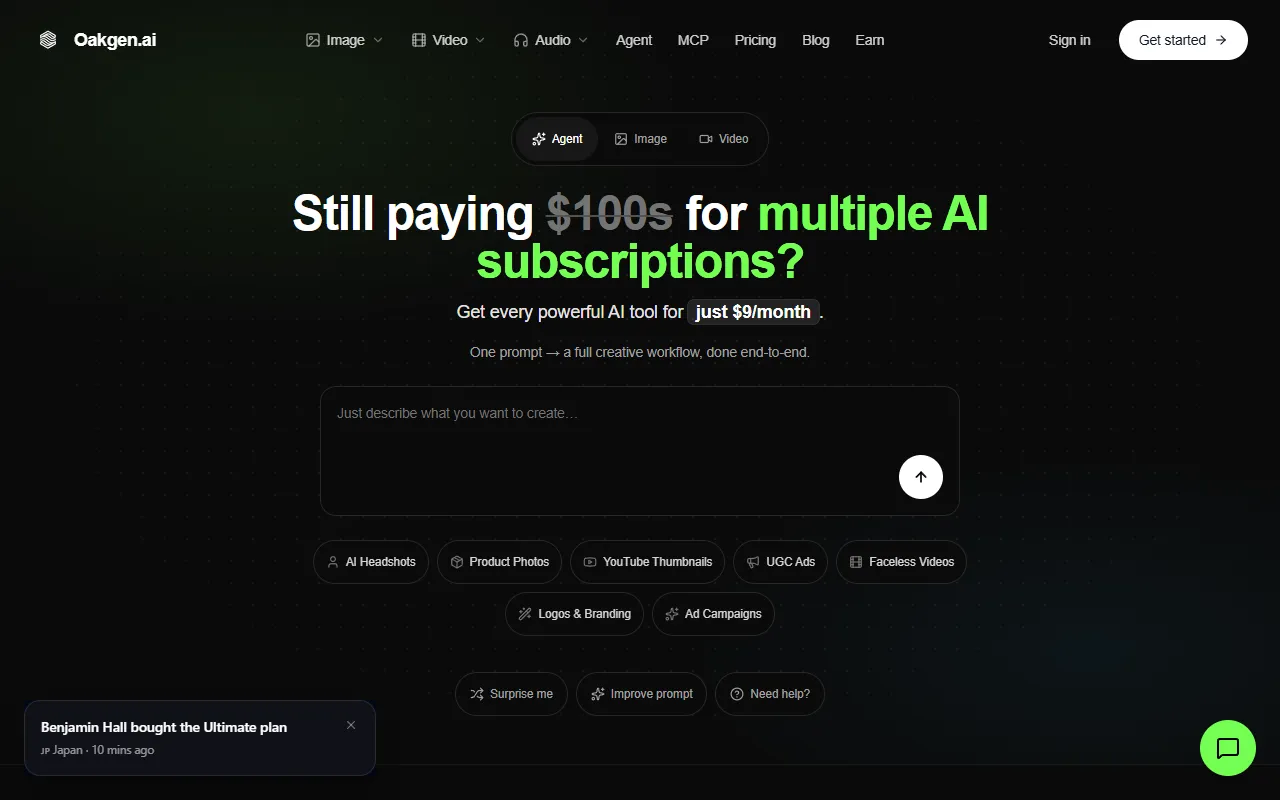
AI workspace for chat, images, video, voice, and ads with shared credits.
What is OakGen?
OakGen is an AI APIs tool. AI workspace for chat, images, video, voice, and ads with shared credits. OakGen is freemium: it has a free plan plus paid upgrades. It is aimed at marketers and content creators.
OakGen provides a unified AI workspace for chat, image generation, video creation, voice processing, and ad generation. It offers a shared credit balance across multiple AI models and allows switching models mid-thread. The platform supports various AI capabilities through one subscription.
Built for marketers and content creators.
Features
Shared Credit Balance
Uses a single credit balance across all AI models.
Model Switching
Allows switching AI models during a conversation.
Multi-Model Subscription
Access to 200+ AI models with one subscription.
Public API
API Key Management
Supports creating and managing personal API keys.
Use cases
- Generate images using FLUX 2 Max and GPT Image 2
- Create videos with Kling V3 Pro and Grok Imagine Nano Banana Pro
- Produce audio and speech content with ElevenLabs v3 and GPT Image 2
Who it's for
Pros & cons
Pros
- Public API available
- Multi-model subscription with 200+ models
- Shared credit system across all models
- API key management support
Cons
- Rate limits of 60 requests per minute and 1,000 per day
Pricing
Freemium.
| Plan | Price |
|---|---|
| Basic Plan | $9 |
| Pro Plan | $19 |
| Ultimate Plan | $29 |
| Creator Plan | $99 |
AI models
- Kling
- FLUX
- Nano Banana Pro
- Claude Sonnet 4.6
- ElevenLabs
- Suno
Developer & API
Public MCP API available
- Authentication
- API Key, Oauth2
Security & compliance
- Data deletion
As stated on OakGen's website — not independently verified by AiByts.
FAQ
What is OakGen?
OakGen is an AI APIs tool. AI workspace for chat, images, video, voice, and ads with shared credits. OakGen provides a unified AI workspace for chat, image generation, video creation, voice processing, and ad generation. It offers a shared credit balance across multiple AI models and allows switching models mid-thread. The platform supports various AI capabilities through one subscription.
Is OakGen free?
OakGen has a free plan; advanced features require a paid plan.
How much does OakGen cost?
OakGen offers 4 plans: Basic Plan ($9), Pro Plan ($19), Ultimate Plan ($29) and Creator Plan ($99).
Does OakGen have an API?
Yes, OakGen offers a public MCP API for building custom integrations.
Who should use OakGen?
OakGen is built for marketers and content creators. Common uses: generate images using FLUX 2 Max and GPT Image 2, create videos with Kling V3 Pro and Grok Imagine Nano Banana Pro and produce audio and speech content with ElevenLabs v3 and GPT Image 2.
What are the best alternatives to OakGen?
Similar tools on AiByts include KIE, isFake.ai, CometAPI, Prismix and AI or Not.
OakGen news & updates

How to Upscale AI Images for Print Without Ruining the Details
Upscale AI images for print with crop-aware pixel calculations, Oakgen Topaz settings, detail checks, and a copyable worksheet before placing your print order.
OakGen Blog12 min read
How to Fit an AI Voiceover Into a 30-Second Video
Fix AI voiceover timing with a speech budget, shorter scripts, measured takes, and careful speed changes. Leave room for the visuals in your 30-second video.
OakGen Blog11 min readHow to Preserve Logos and Labels in AI Product Photos
Preserve logos and labels in AI product photos with a source checklist, exact-text review worksheet, and repair decisions for packaging that must stay accurate.
OakGen Blog12 min read
Batch AI Product Videos: A Catalog Workflow for Real SKUs
Plan batch AI product videos with a downloadable SKU manifest, variant checks, retry records, and delivery rules that keep each catalog clip tied to its source.
OakGen Blog13 min read
Kling Elements: Character and Product Reference Guide
Set up Kling Elements in Oakgen with character or product references, input roles, reusable prompts, and a checklist for catching identity drift in clips.
OakGen Blog12 min read
AI Image Not Following Your Prompt? Diagnose the Edit
Fix an AI image not following your prompt: check the edit input, isolate one change, clarify reference roles, protect faces and labels, and know when to stop.
OakGen Blog13 min read
How to Make an AI Dance Video From a Photo
Turn one photo into an AI dance video. Compare motion control, dance prompts, and templates, then pick a reference clip, add music safely, and fix glitches.
OakGen Blog12 min read
AI Sound Effects: How to Generate Custom SFX From Text
How an AI sound effects generator turns text into SFX, with 45 copy-paste prompts, ElevenLabs settings, licensing rules, and real per-clip credit costs.
OakGen Blog12 min read
How to Make a Jingle (With or Without a Musician)
How to make a jingle step by step: what makes one stick, 15/30/60-second structures, a fill-in lyric template, three production routes, and AI steps.
OakGen Blog12 min read
AI Caricature Prompts: Copy-Paste Prompts for ChatGPT, GPT Image and Nano Banana
The viral ChatGPT caricature prompt explained, plus 36 original copy-paste AI caricature prompts for jobs, couples, pets, weddings, farewells and sports fans.
OakGen Blog16 min read
How to Animate a Photo With AI: 4 Methods That Actually Look Good
Learn how to animate a photo with AI using four methods: image-to-video, talking photo, motion control, and first/last frame. Prompts, costs, and fixes.
OakGen Blog13 min read
Kling Motion Control: How It Works, Settings, and Prompts
How Kling motion control transfers movement from a reference video onto a character image. V3 vs 2.6, every setting, clip rules, prompts, fixes, and costs.
OakGen Blog14 min readSonic Logo: What It Is, Famous Examples, and How to Make One with AI
What a sonic logo is, how it differs from a jingle, verified famous examples, a spec sheet, 12 AI prompts, a testing checklist, and sound mark basics.
OakGen Blog14 min read
Magnific AI in 2026: The Freepik Rebrand, Pricing, and What Changed
Magnific AI explained after Freepik became Magnific: what the suite includes, current plans and credit pricing, how the upscaler works, and who it suits.
OakGen Blog10 min read
Podcast Intro Music: How to Get One That Doesn't Sound Like Stock
How long podcast intro music should be, library vs composer vs AI, genre prompts by show type, loudness targets, Content ID risk, and an intro kit workflow.
OakGen Blog15 min read
Radio Ad Script Template + Examples for 15, 30 and 60 Seconds
A fill-in radio ad script template, word counts for 15, 30 and 60 second spots, six full example scripts, and current Spotify audio ad specs.
OakGen Blog16 min read
5 Best AI Creative Agents in 2026: Tools Compared
Compare the best AI creative agents for campaigns, video, images, revisions, brand context, model choice, and cost control in 2026.
OakGen Blog13 min read
AI Video Credits vs Unlimited Plans: Calculate Cost per Usable Clip
Compare AI video credits vs unlimited plans with a practical cost-per-usable-clip calculator, worksheet, break-even formula, and worked examples.
OakGen Blog9 min read
Details are compiled from OakGen's website and public sources, last verified Oct 3, 2026. Features and pricing change — confirm on the official site before you buy.
Try OakGen
Freemium
Tags
- AI Studio
- AI Content Creation
- AI Creative Tools
Comments
Sign in to join the discussion.