

Typeahead
AI autocomplete that works in every app, runs locally.
- Web
What is Typeahead?
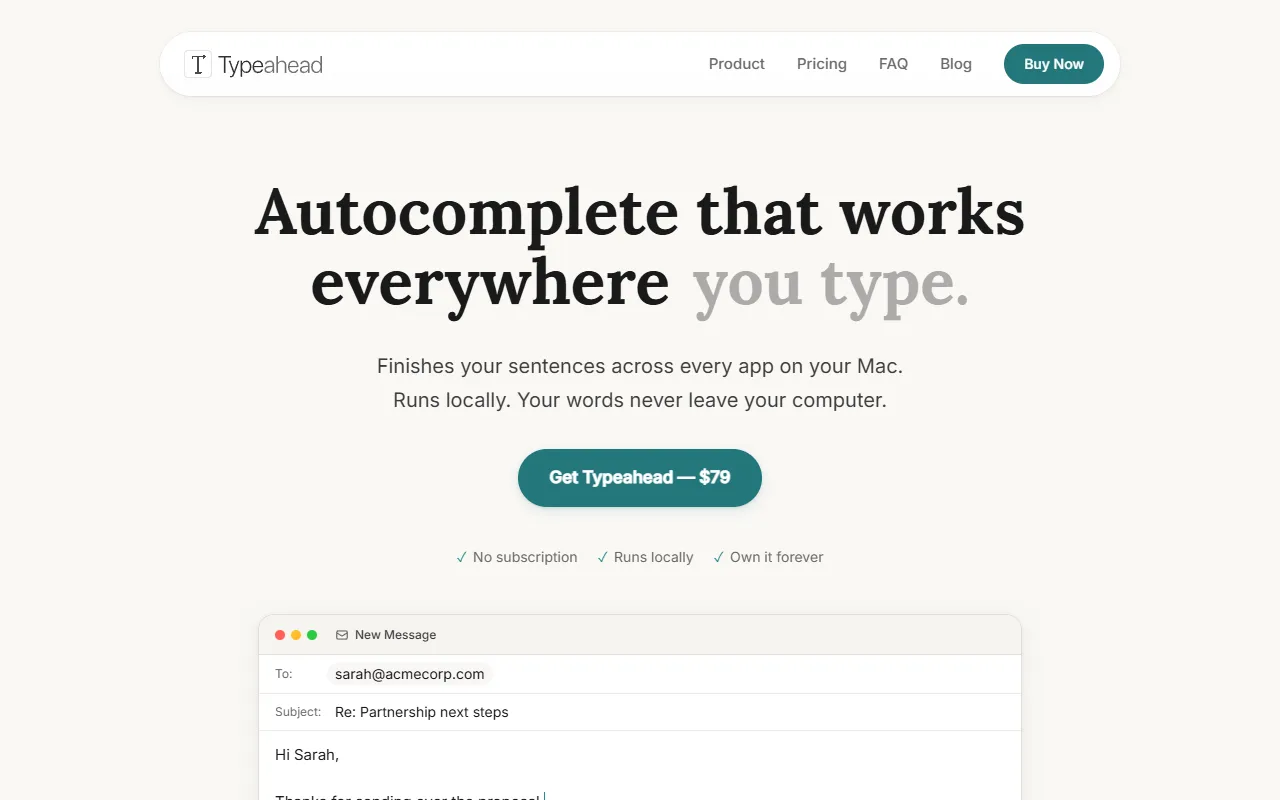
Typeahead is an AI Writing tool. AI autocomplete that works in every app, runs locally. It is available on Web App and macOS. It is aimed at writers and content creators.
Typeahead is an AI autocomplete tool that works across all apps on a Mac. It operates locally, ensuring user data remains on the device. The system uses a small model to read the active field and provide context-aware suggestions.
Built for writers and content creators.
Features
Local Model
Runs on the user's Mac without sending data to the cloud.
Context-Aware Suggestions
Offline Functionality
Ghost Text
Displays placeholder text that can be activated with a Tab key.
Writing Layer
Integrates as a writing assistant within applications.
Use cases
- Generate text suggestions in any application
- Provide context-aware writing assistance
- Offer offline text generation capabilities
Who it's for
Pros & cons
Pros
- Runs locally on the user's device
- Offers offline functionality
- Provides context-aware suggestions
Cons
No documented limitations yet.
Security & compliance
- Encryption
As stated on Typeahead's website — not independently verified by AiByts.
FAQ
What is Typeahead?
Typeahead is an AI Writing tool. AI autocomplete that works in every app, runs locally. Typeahead is an AI autocomplete tool that works across all apps on a Mac. It operates locally, ensuring user data remains on the device. The system uses a small model to read the active field and provide context-aware suggestions.
What platforms does Typeahead support?
Typeahead is available on Web App and macOS.
Who should use Typeahead?
Typeahead is built for writers and content creators. Common uses: generate text suggestions in any application, provide context-aware writing assistance and offer offline text generation capabilities.
What are the best alternatives to Typeahead?
Similar tools on AiByts include Compose AI, Ghost Writer, Elephas, Lex and LogicBalls.
Typeahead news & updates
Does Typeahead work offline?
After one local model download, Typeahead completes sentences offline on your Mac. Here is what to set up before fieldwork.
Typeahead Blog3 min read
Which AI writing assistant keeps legal drafts local?
Typeahead completes lawyers’ sentences locally on Mac. See what leaves the device and how to verify a genuine no-cloud writing workflow.
Typeahead Blog4 min read
The best Mac AI stays under your cursor
Typeahead completes sentences locally in the Mac app where you already write. Press Tab to accept a suggestion and keep drafting.
Typeahead Blog4 min read
Finish CRM notes before your next call
A four-part note and cursor-level sentence completion help sales reps save verified call context in the few minutes between meetings.
Typeahead Blog4 min read
Autocomplete without uploading your work text
See how local sentence completion keeps work text off cloud models and how to inspect Typeahead’s network activity on your Mac.
Typeahead Blog4 min read
Grammarly alternatives that actually run on-device
Five genuine on-device Grammarly alternatives, compared by language, platform, workflow and required network activity.
Typeahead Blog4 min read
Stop your Mac mangling names
Teach macOS valid names, reserve text replacements for exact terminology and let Typeahead learn repeated spellings locally.
Typeahead Blog6 min read
Give repeated writing the right home
Use a Mac shortcut when every character must land correctly. Typeahead can learn those details too and carry familiar sentences forward.
Typeahead Blog6 min read
Keep your place in long documents
A practical workflow for preserving writing flow with a visible document map, protected drafting bursts and clear restart notes.
Typeahead Blog4 min read
Write executive emails faster on Mac
A practical sentence-completion workflow for executives who want to write decisions, requests and concise replies faster on Mac.
Typeahead Blog4 min read
Autocomplete or a rewording tool for Mac?
Autocomplete helps while a sentence forms. A rewording tool replaces finished text. Here is how Mac writers can choose while protecting their voice.
Typeahead Blog5 min read
The disclosure map behind every client draft
Local autocomplete can remove one AI disclosure point from client drafting. It cannot secure the rest of a lawyer’s communication stack.
Typeahead Blog4 min read
Keep writing without the ChatGPT detour
Sentence-level help works faster inside the sentence, preserving your voice and reducing the cognitive cost of a trip to ChatGPT.
Typeahead Blog4 min read
Clinical notes need fewer disclosure paths
Local writing assistance can remove one exposure path for clinical notes. HIPAA risk management must still cover the Mac, EHR and surrounding workflow.
Typeahead Blog4 min read
Write more replies without flattening them
Support teams move faster when sentence completion cuts repetitive typing without replacing agent judgment or flattening customer replies.
Typeahead Blog4 min read
Write the Slack reply, keep your flow
A practical Slack reply routine for executives who want to communicate decisions faster while preserving judgment, voice and focus.
Typeahead Blog5 min read
One writing tool follows your cursor
One local sentence-completion workflow follows your writing across Mac apps, keeping help at the cursor instead of behind another AI interface.
Typeahead Blog4 min read
Private AI autocomplete for unpublished manuscripts
Local AI autocomplete can help finish your sentences without placing unpublished drafts in a cloud-AI data path. Here is the precise boundary.
Typeahead Blog4 min read
Details are compiled from Typeahead's website and public sources, last verified Oct 5, 2026. Features and pricing change — confirm on the official site before you buy.
Try Typeahead
Visit the official website
Tags
- Offline Mode
Comments
Sign in to join the discussion.